
Subscribe Our Channel
Let us take a simple expression 8 + 9 is equal to 19. Here 8 and 9 are
called operands and ‘+’ is called the operator. JavaScript
supports the following types of operators. The Addition Operator
+ adds numbers: The
Assignment Operator
= assigns a value to a
variable.
The Assignment Operator (=) assigns a
value to a variable:
The Addition Operator (+) adds numbers:
The Multiplication Operator (*)
multiplies numbers:
There are different types of JavaScript operators:
Arithmetic Operators are used to perform arithmetic on numbers:
| Operator | Description |
|---|---|
| + | Addition |
| – | Subtraction |
| * | Multiplication |
| ** | Exponentiation (ES2016</a >) |
| / | Division |
| % | Modulus (Division Remainder) |
| ++ | Increment |
| — | Decrement |
Assignment operators assign values to JavaScript variables. The
Addition Assignment Operator (+=) adds a
value to a variable.
| Operator | Example | Same As |
|---|---|---|
| = | x = y | x = y |
| += | x += y | x = x + y |
| -= | x -= y | x = x – y |
| *= | x *= y | x = x * y |
| /= | x /= y | x = x / y |
| %= | x %= y | x = x % y |
| **= | x **= y | x = x ** y |
| Operator | Description |
|---|---|
| == | equal to |
| === | equal value and equal type |
| != | not equal |
| !== | not equal value or not equal type |
| > | greater than |
| < | less than |
| >= | greater than or equal to |
| <= | less than or equal to |
| ? | ternary operator |
All the comparison operators above can also be used on strings: Note that
strings are compared alphabetically:
| Operator | Description |
|---|---|
| && | logical and |
| || | logical or |
| ! | logical not |
| Operator | Description |
|---|---|
| typeof | Returns the type of a variable |
| instanceof | Returns true if an object is an instance of an object type |
Bit operators work on 32 bits numbers. Any numeric operand in the operation is
converted into a 32 bit number. The result is converted back to a JavaScript
number.
| Operator | Description | Example | Same as | Result | Decimal |
|---|---|---|---|---|---|
| & | AND | 5 & 1 | 0101 & 0001 | 0001 | 1 |
| | | OR | 5 | 1 | 0101 | 0001 | 0101 | 5 |
| ~ | NOT | ~ 5 | ~0101 | 1010 | 10 |
| ^ | XOR | 5 ^ 1 | 0101 ^ 0001 | 0100 | 4 |
| << | left shift | 5 << 1 | 0101 << 1 | 1010 | 10 |
| >> | right shift | 5 >> 1 | 0101 >> 1 | 0010 | 2 |
| >>> | unsigned right shift | 5 >>> 1 | 0101 >>> 1 | 0010 | 2 |
Retrieve Site URL Use site_url() to get the site’s base URL dynamically: <xmp><?php echo site_url(); ?> </xmp> Example […]
Setting up email accounts on your Android device is important for staying connected and managing your messages while […]
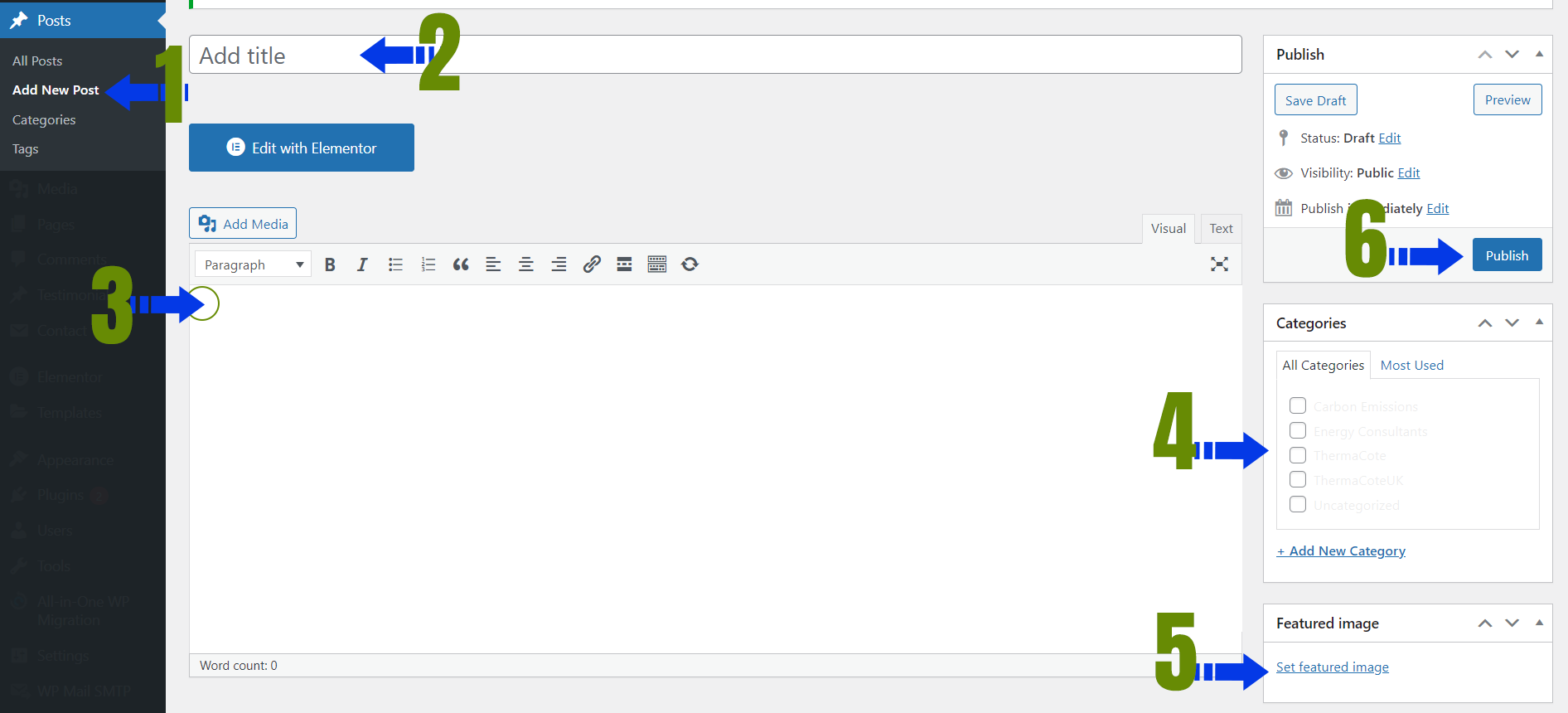
To add a new blog post in WordPress, follow these steps: Log in to Your WordPress Dashboard: – […]
Variables are Storing Data Container JS Variable can be declared in 4 ways : Automatically Using var Using […]
In this example: If the input box is empty, an alert is shown. If there’s text in the […]
Starting the development of a custom WordPress theme named “w3syllabus” involves several steps. Here’s a basic outline to […]
[tel* tel-939 minlength:2 maxlength:15]
Theme folder and file structure ├── assets (dir)/ │ ├── css (dir) │ ├── images (dir) │ └── […]
What is an Operator? Let us take a simple expression 8 + 9 is equal to 19. Here […]
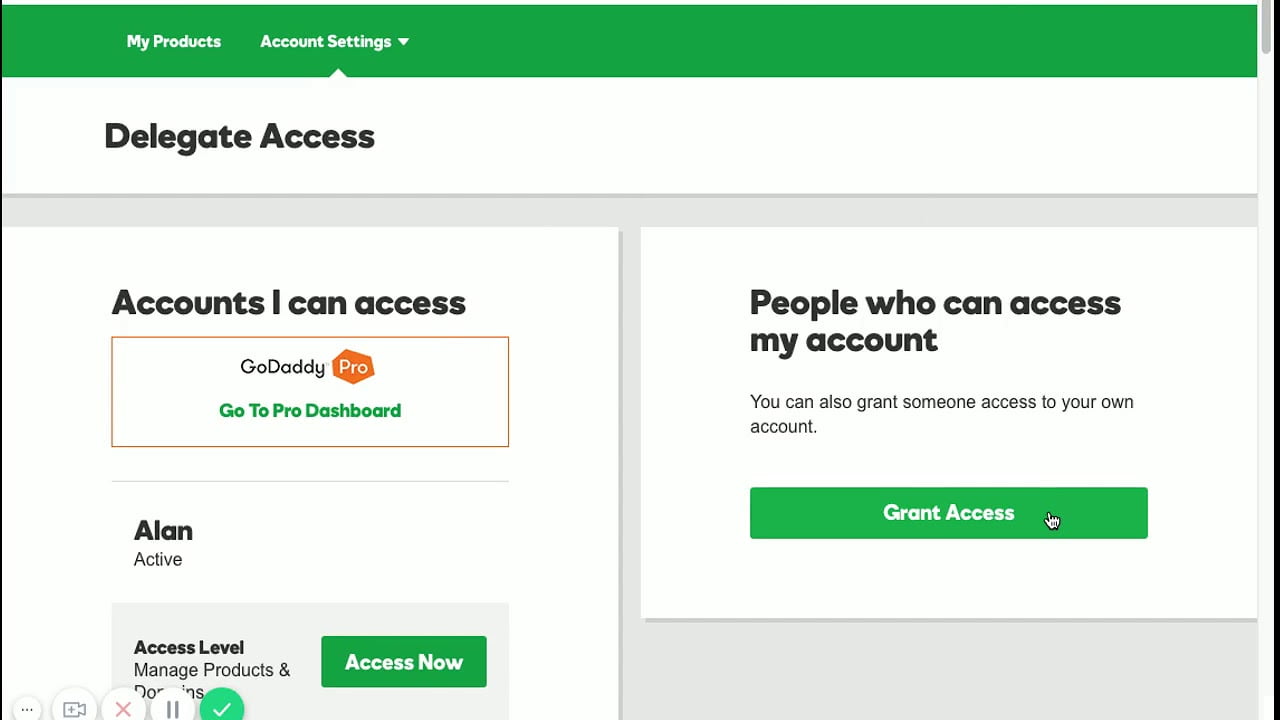
You can invite a delegate (like your web designer or developer) to access the GoDaddy products in your […]